Connect a bank.
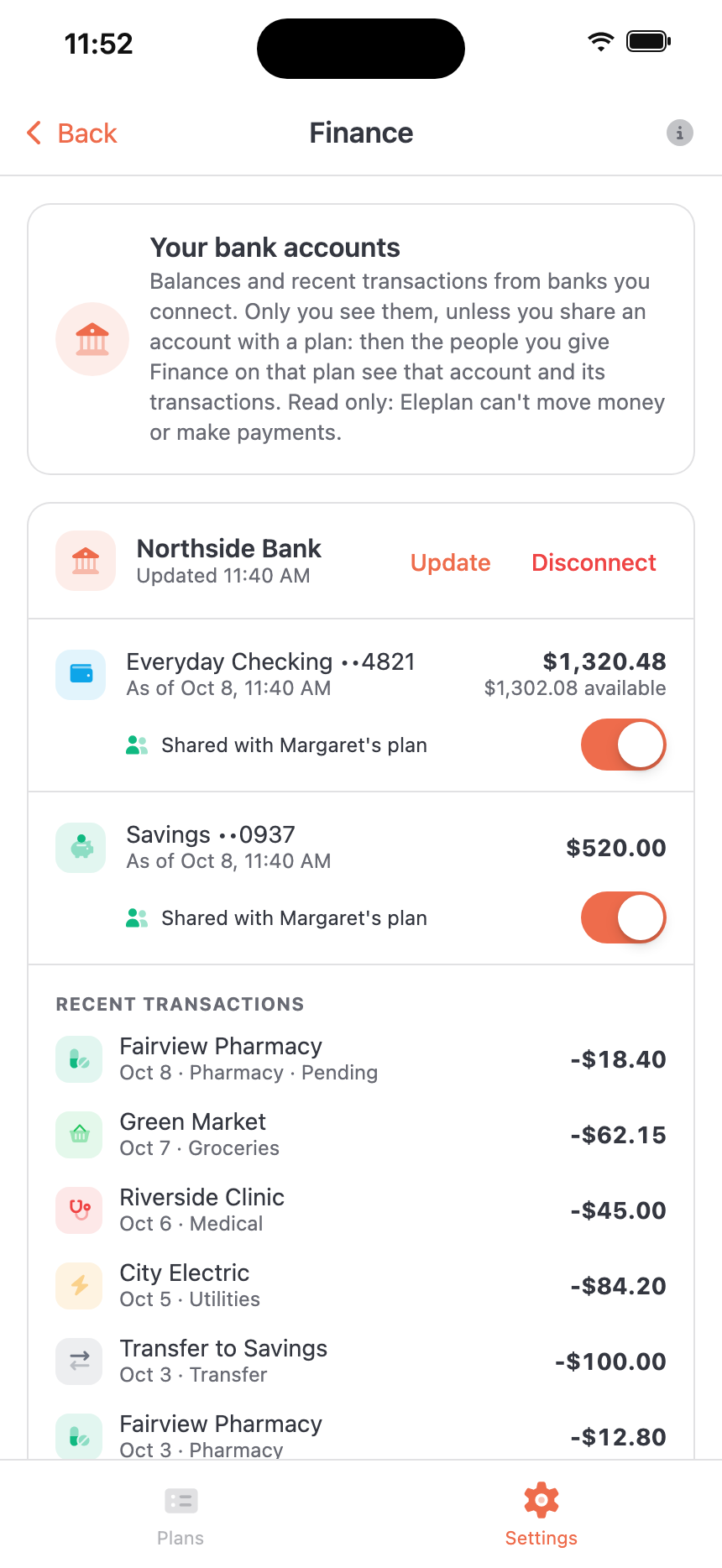
In the Eleplan app, open Settings, then Finance, and tap Connect a bank. Plaid opens. Pick your bank and sign in there.
Connect a bank read-only through Plaid. See balances and recent transactions next to the rest of the care plan, share accounts with the family members you choose, and ask Ellie about it.
Find it in the Eleplan app under Settings → Finance.
Connect once in the Eleplan app. Then the numbers are there when you need them, next to the appointments and medications.
In the Eleplan app, open Settings, then Finance, and tap Connect a bank. Plaid opens. Pick your bank and sign in there.
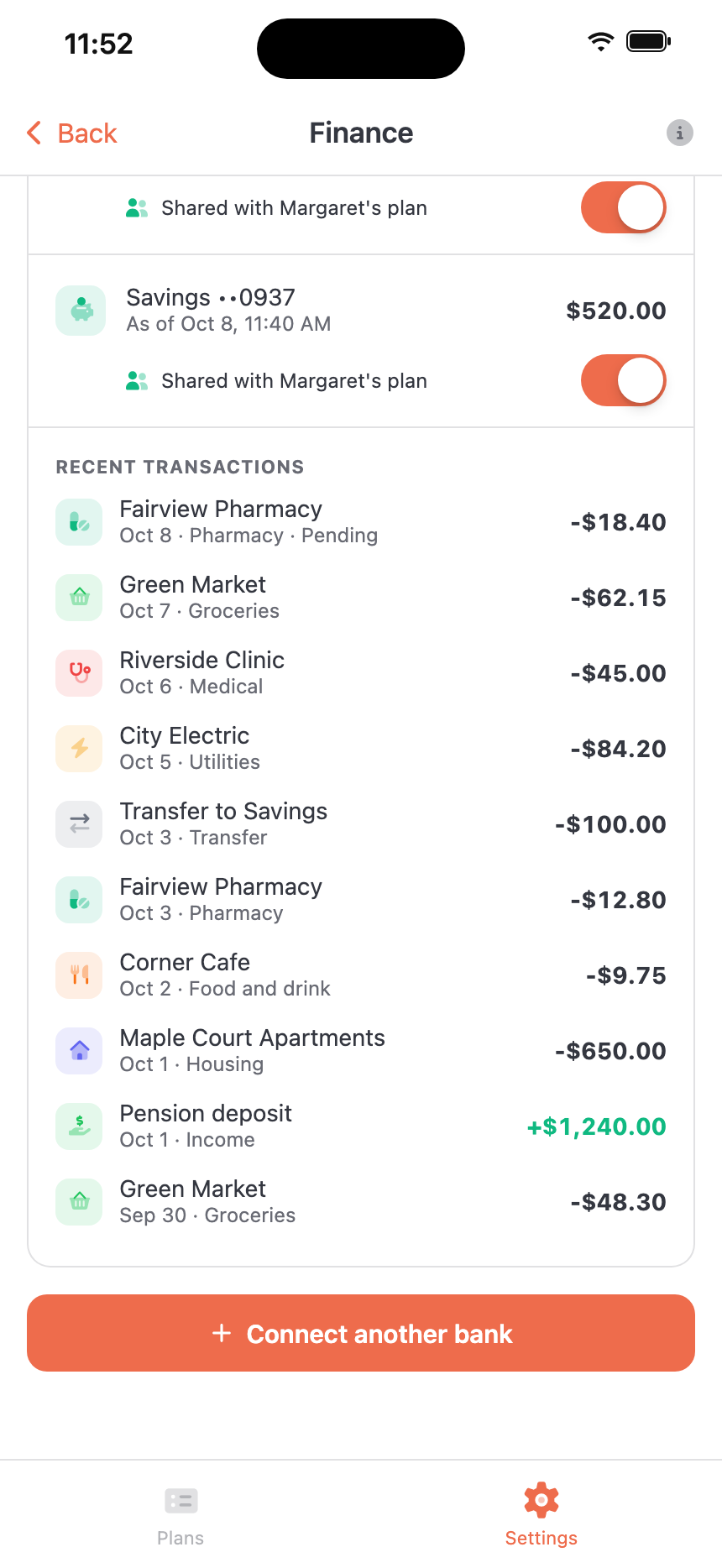
Each checking and savings account shows its balance and when it was read. Below it are the bank’s 10 most recent transactions, each labelled with what it was for.
Share an account with any of your plans. The people you give Finance on that plan can see it and its transactions, read only. Otherwise it stays private to you.
Looking after someone often means looking after the money too: the pharmacy, the copays, the bills that come with care. Ellie Finance puts the accounts you manage next to the care plan, so those answers are in the same app as everything else.
Each transaction shows its date, what it was for and whether it’s still pending, using the categories that come with your bank data through Plaid.
Money coming in shows in green. Transfers between your own accounts are marked as transfers.
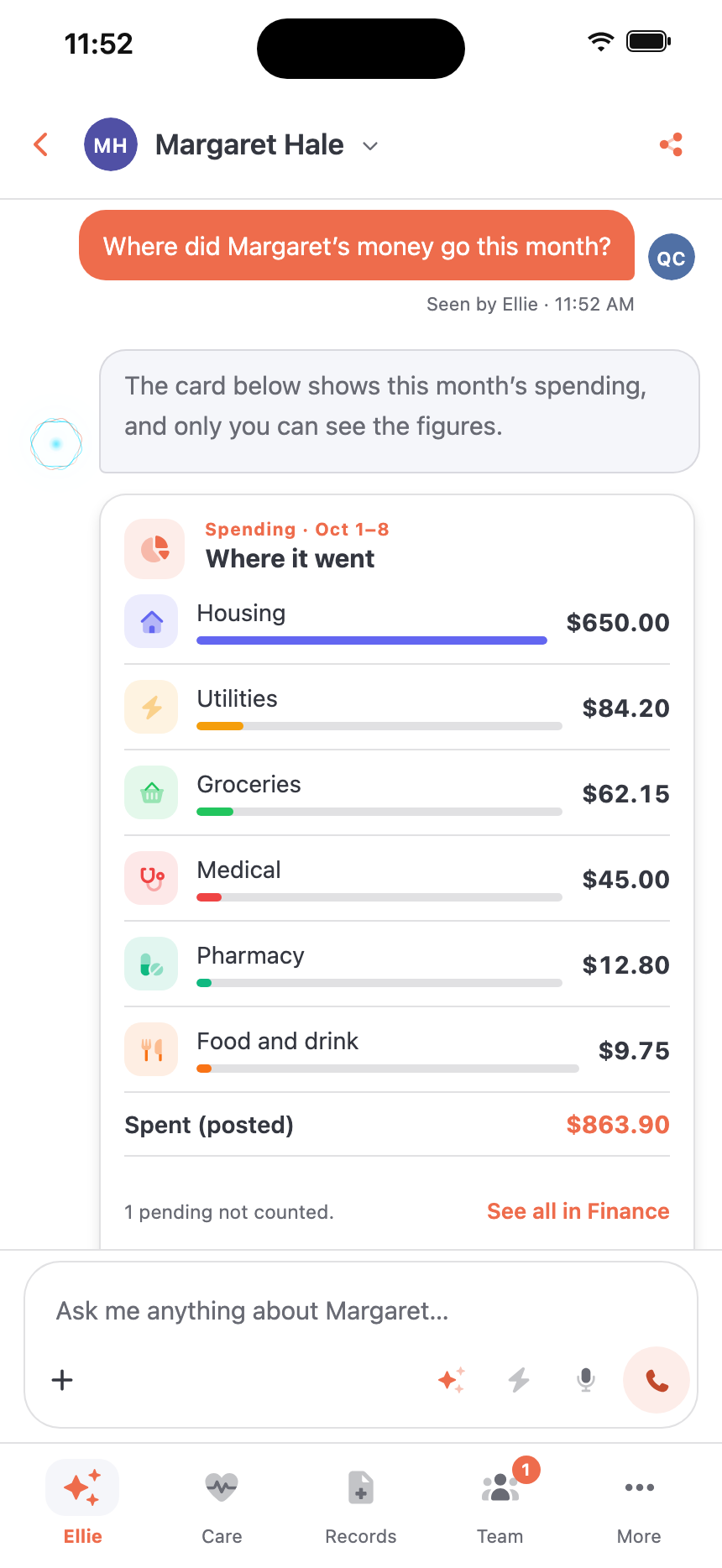
In a plan’s chat, ask Ellie what’s in checking or what went to the pharmacy last month. She answers with a card: your bank balances, or your spending for this month, last month, or the last 30 or 90 days, for every group or just one.
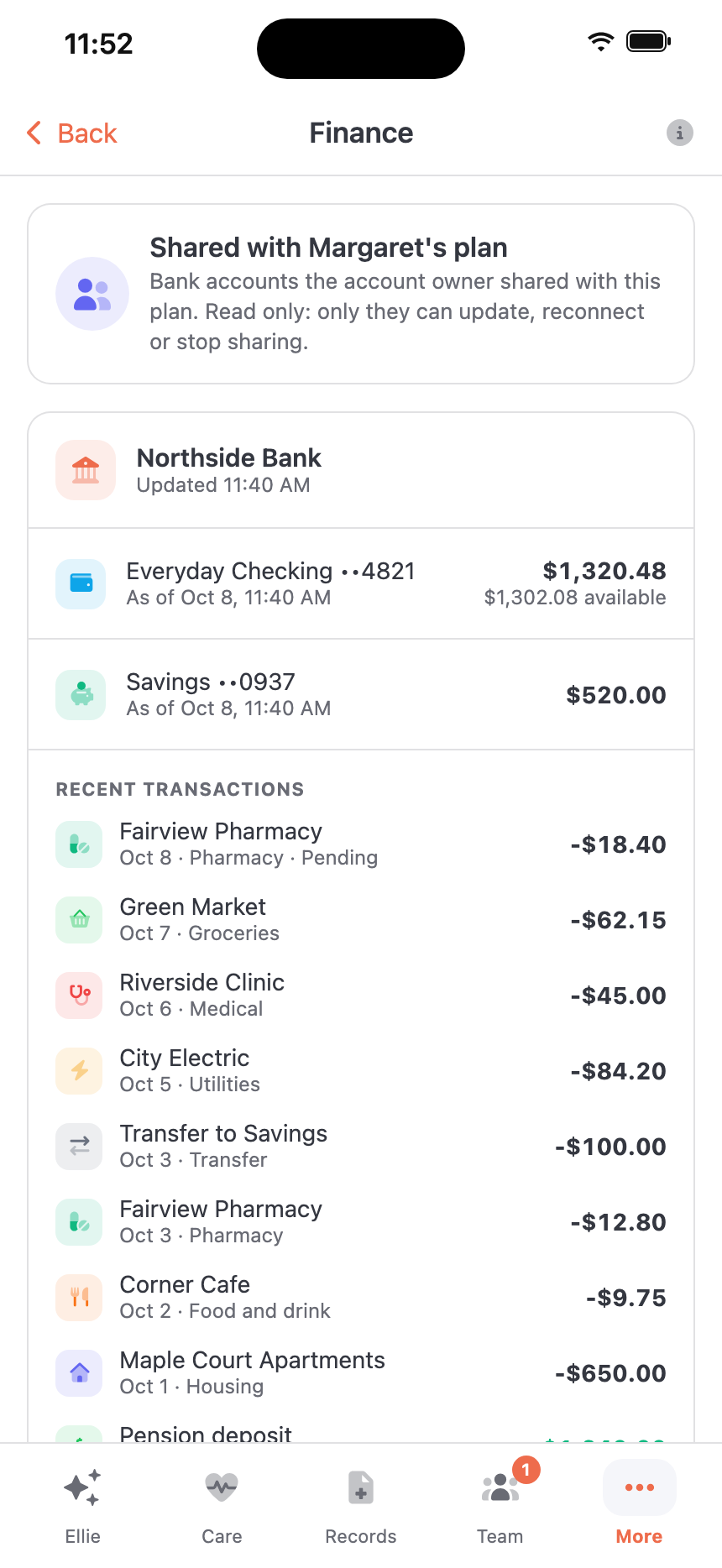
Share an account with any of your plans, then give the Finance permission to the people on that plan who should see it, like a sibling who helps with the bills. They see that account’s balance and transactions on the plan’s Finance page.
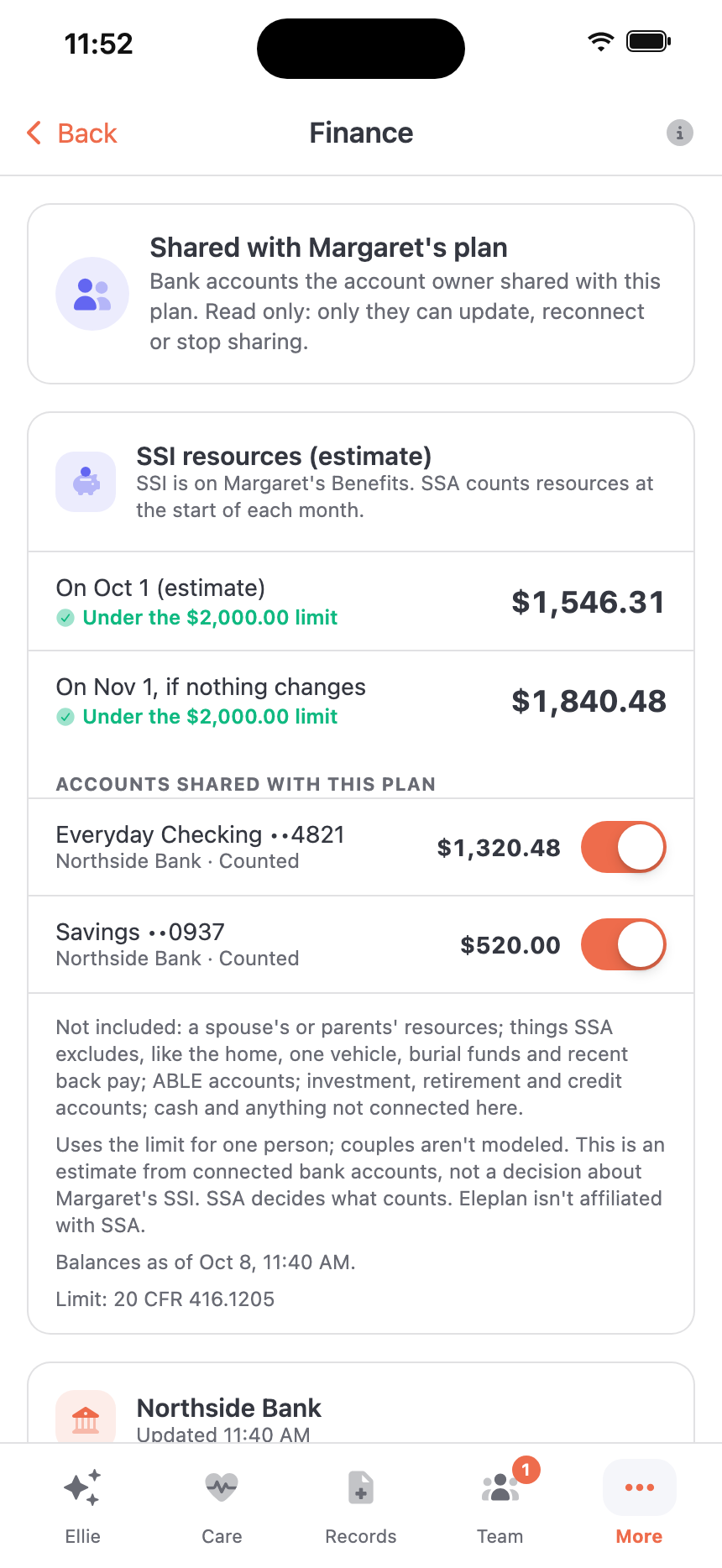
When SSI is on a plan’s Benefits, as receiving or applied for, that plan’s Finance page estimates the person’s countable bank balances against the SSI resource limit: $2,000 for one person, under 20 CFR 416.1205. SSA counts resources at the start of each month, so the estimate gives two dated figures.
An estimate from connected bank accounts, not a decision. SSA decides what counts, and Eleplan isn’t affiliated with SSA. Eleplan checks the limit against the regulation on eCFR every week.
Eleplan asks Plaid for transaction data only: balances and transactions. It can’t move money, pay a bill or change anything at your bank, and you sign in to your bank through Plaid, so Eleplan never sees your bank password. If a bank needs you to sign in again, you get a notification that names no bank and shows no amounts. Disconnect a bank anytime in Settings → Finance: Eleplan removes the connection at Plaid and deletes that bank’s balances and transactions.
Money is personal.
Here’s what Ellie Finance does, and what it doesn’t.
Yes. If you own your Eleplan account, open Settings, then Finance, in the Eleplan app and tap Connect a bank. People on your plans see an account only if you share it with their plan and give them Finance.
Checking and savings accounts at US banks that Plaid supports. Credit cards, loans and investment accounts aren’t included. You can connect up to five banks.
No. Ellie Finance is read only. Eleplan asks Plaid for transaction data only: balances and transactions. It has no way to move money, pay a bill or change anything at your bank.
No. You sign in to your bank through Plaid, not in Eleplan. Plaid gives Eleplan a key for reading those accounts, and Eleplan stores that key encrypted, with an encryption key used only for Finance.
You, the account owner who connected the bank. Nobody else sees an account unless you share it with one of your plans. Then only the people you give the Finance permission on that plan see it and its transactions. Finance isn’t part of Administrator or Full plan access; it’s given to each person on its own.
No. They see the shared accounts’ balances and transactions, read only. Only you can update a bank, reconnect it, disconnect it or stop sharing it.
New transactions come in as your bank reports them through Plaid, and you can tap Update on a bank anytime. Balances are what your bank last reported to Plaid, shown with the time Eleplan read them.
Eleplan reads up to 90 days of transactions, depending on what your bank provides. The Finance screen lists each bank’s 10 most recent. Right after you connect, older transactions can take a little while to arrive, and Finance tells you when they’re still coming.
Yes, in a plan’s chat. Ask about your balances or your spending, and Ellie answers with a card that shows the figures. The figures stay in the card, not in her words, and anyone on the plan without Finance sees that the card is private.
Finance marks that bank and sends you a notification. The notification doesn’t name the bank or show any amounts. Tap the bank in Finance to sign in again through Plaid.
Finance shows “New accounts are available” under that bank. Tap it to choose which accounts to add.
Eleplan asks Plaid to remove the connection, then deletes that bank’s balances and transactions from Eleplan, including from any plan you shared it with. If Plaid can’t be reached, the bank stays on the list so you can try again.
No. On a plan with SSI on its Benefits, Finance shows an estimate of the person’s bank balances against the SSI resource limit. It isn’t a decision: SSA decides what counts, and Eleplan isn’t affiliated with SSA. It doesn’t look at income or any other SSI rule, and it doesn’t cover Medicaid.
A spouse’s or parents’ resources; things SSA excludes, like the home, one vehicle, burial funds and recent back pay; ABLE accounts; investment, retirement and credit accounts; and cash or anything not connected to Eleplan. It uses the limit for one person, so couples aren’t covered.
Balances and transactions,
next to the rest of the care plan.
Questions? Talk to us about Finance