Ellie runs the errands.
The claim check, the refill, the visit summary, the grocery order. The portal chores that eat an evening.
Ellie signs in to the sites your family already uses (patient portals, insurance, pharmacies, groceries, benefits forms), does one job, files what she finds in the care plan, and signs out. If a website won’t cooperate, she offers to call the office instead.
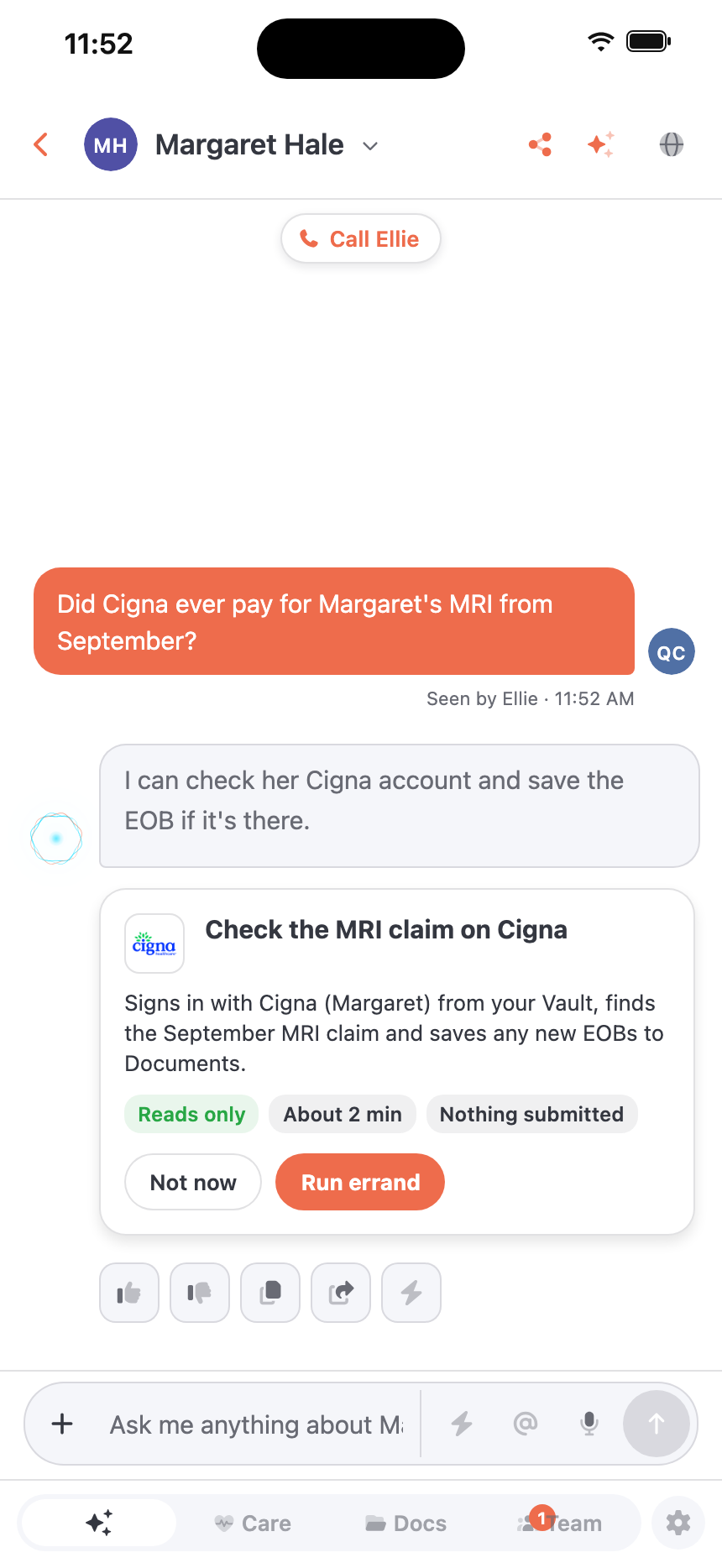
One job, start to finish.
- 01
You ask
“Did her insurance ever pay for the MRI?” Ellie offers an errand and says exactly what she’ll do.
- 02
She signs in
With the login you saved in your Vault, on the site you already use.
- 03
She does one job
Checks the claim, finds the refill, downloads the visit summary. Nothing else.
- 04
She files it
Anything she brings back is saved to the care plan, sorted like any upload.
- 05
She signs out
The session closes and the login is cleared. You see that as the last step.
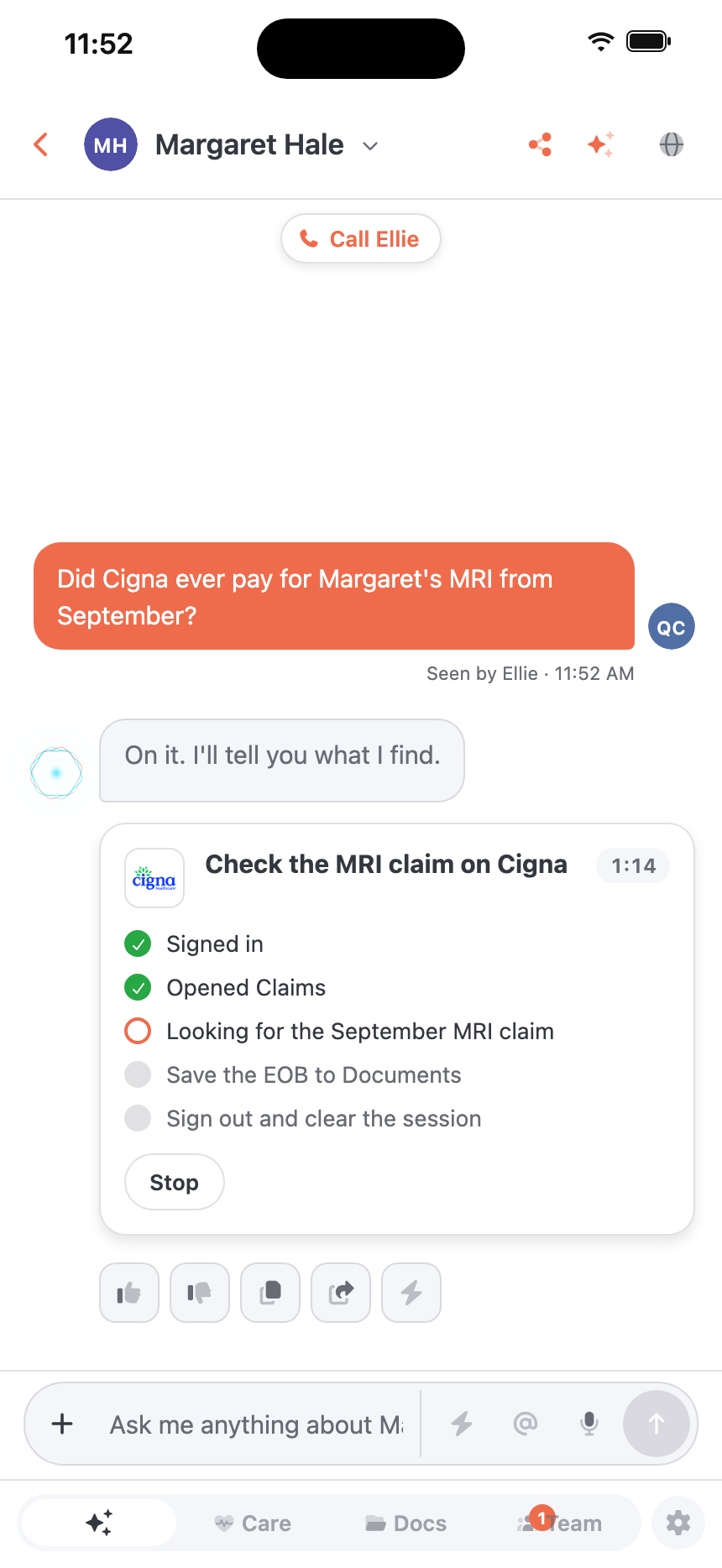
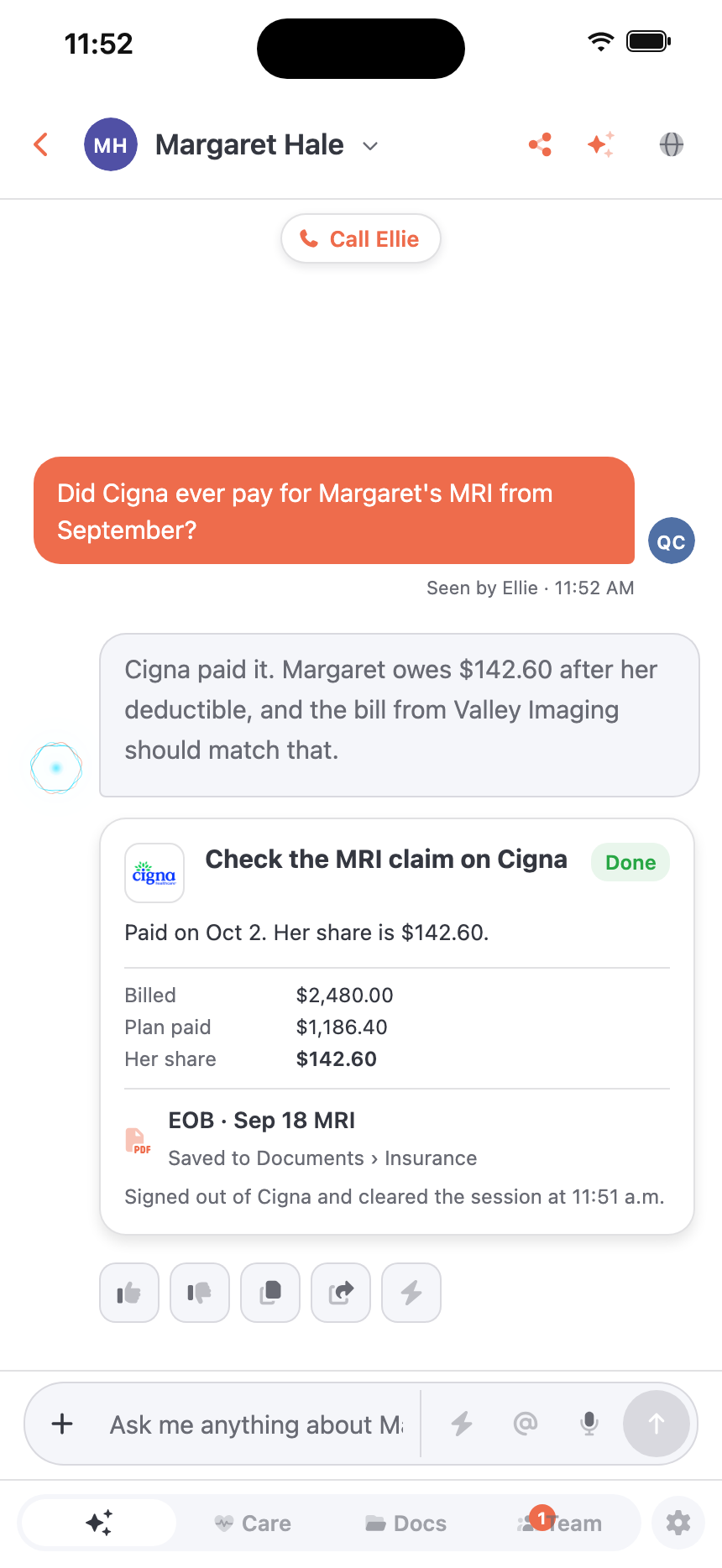
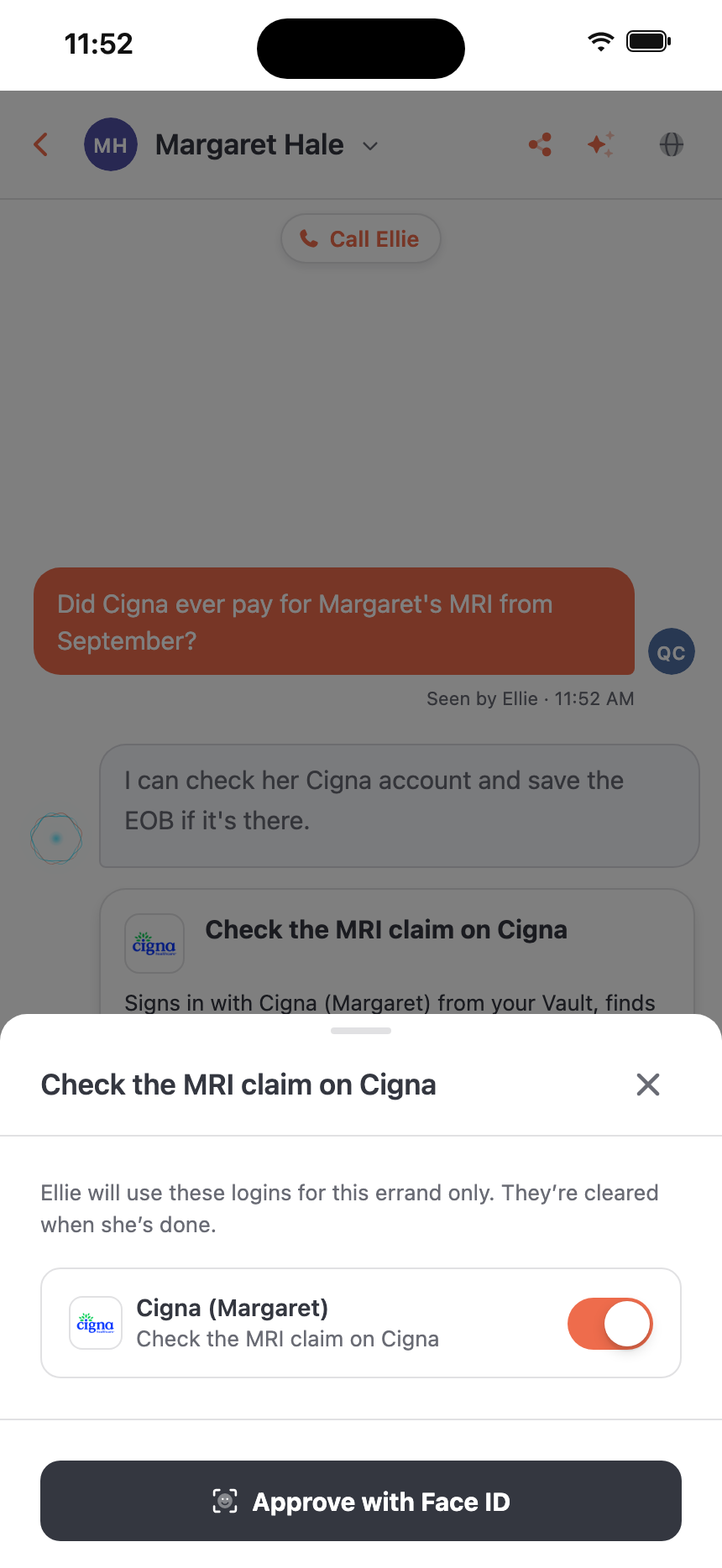
You stay in charge.
Your logins stay in your Vault
Ellie uses a login only for the errand you said yes to. When she’s done, she signs out and the session is cleared. Nothing is kept for next time.
The AI never sees a password
Eleplan’s own code types the login in. The AI model only works on the page after you’re signed in.
Paying or submitting asks you first
Before Ellie pays a bill, places an order or sends a form, you see the details (the total, who it goes to, every field and where it came from) and approve it yourself.
Hands off, only when you choose
After an errand goes well, Ellie offers to do it hands off next time, within limits you set. Anything outside them comes back to you, and you can turn it off any time.
When a site needs you, Ellie asks.
- A site texts a code. Ellie sends you a quick note, you type it in, and she carries on.
- A site wants to check you’re a person. You finish that part yourself, then Ellie continues.
- A site asks for personal details. Ellie asks you before she shares them.
- An errand has a step that needs you, like a payment. Ellie tells you before she starts, works up to that step, then asks.
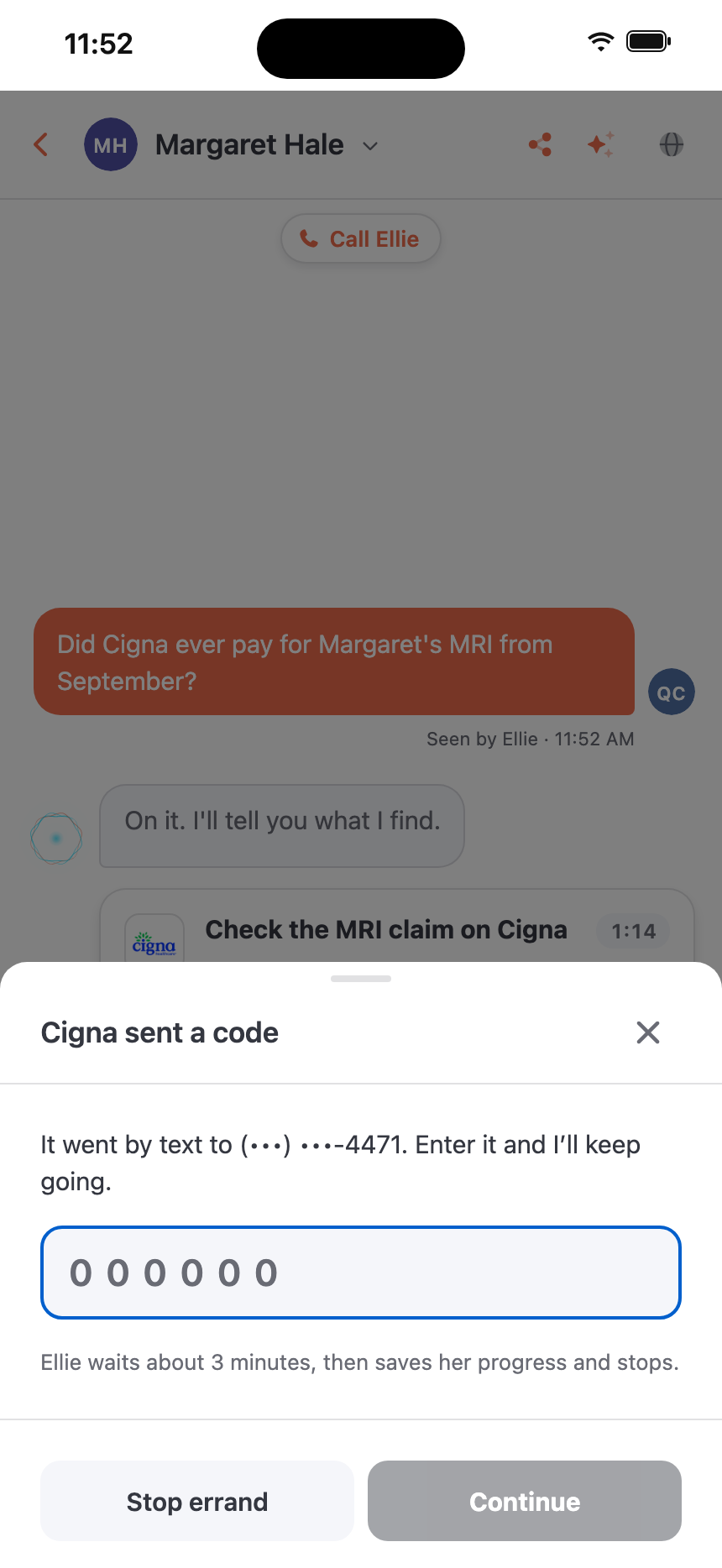
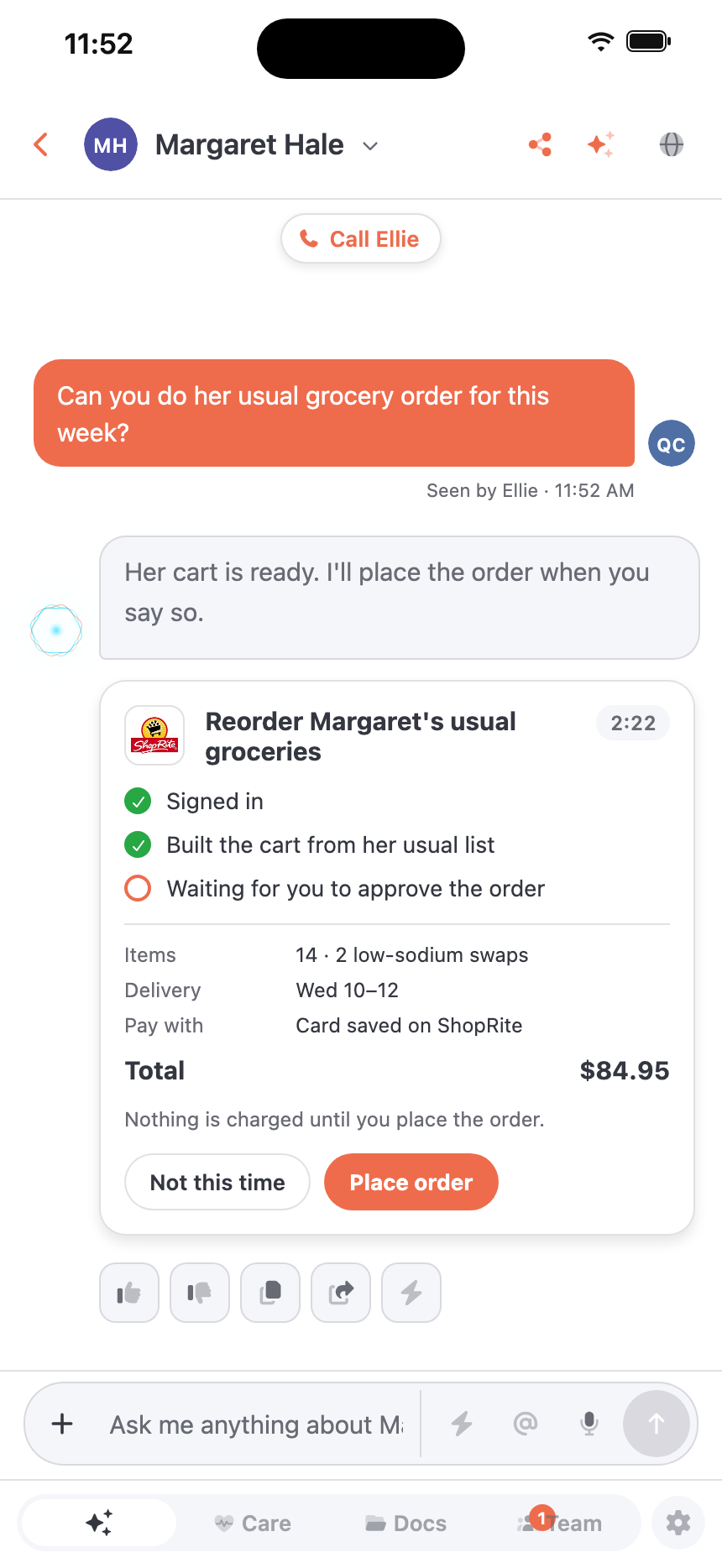
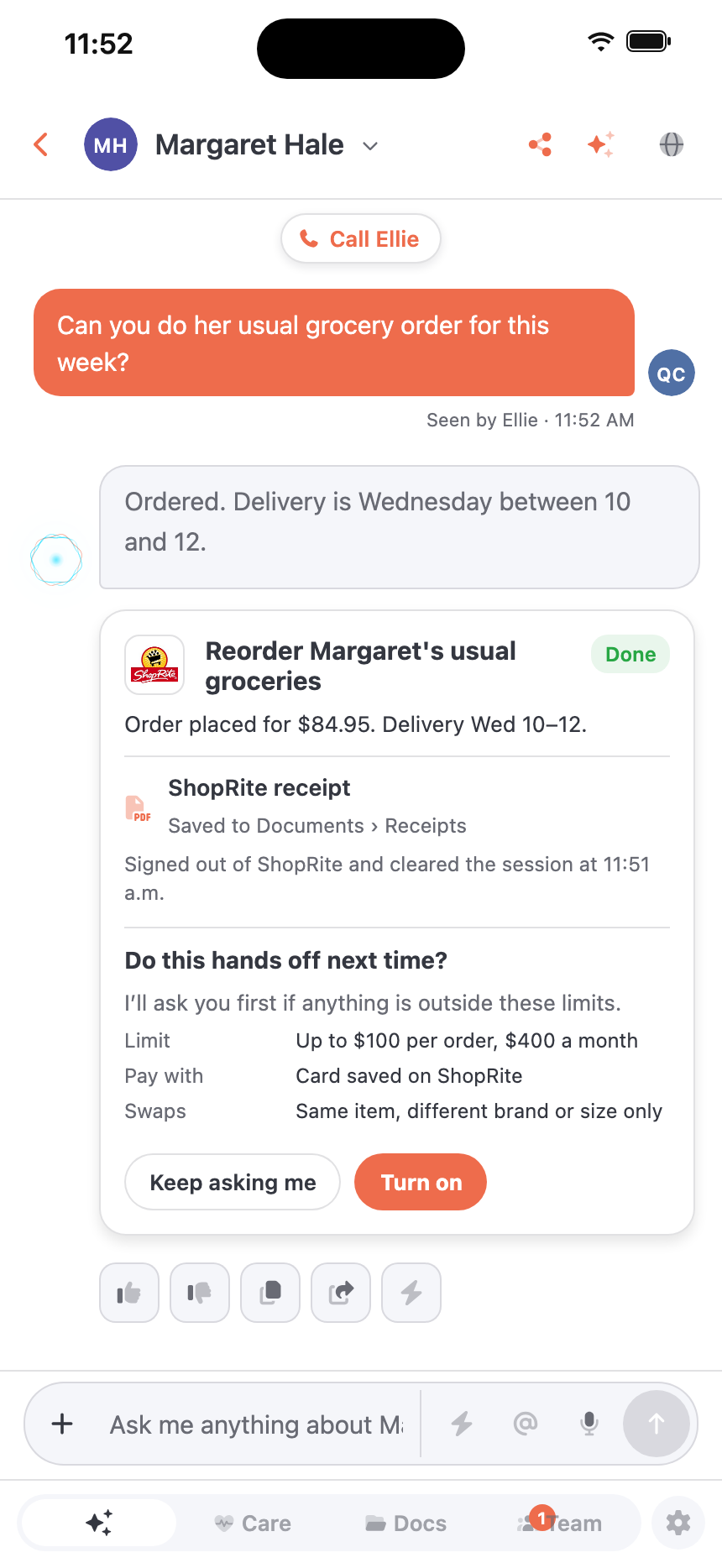
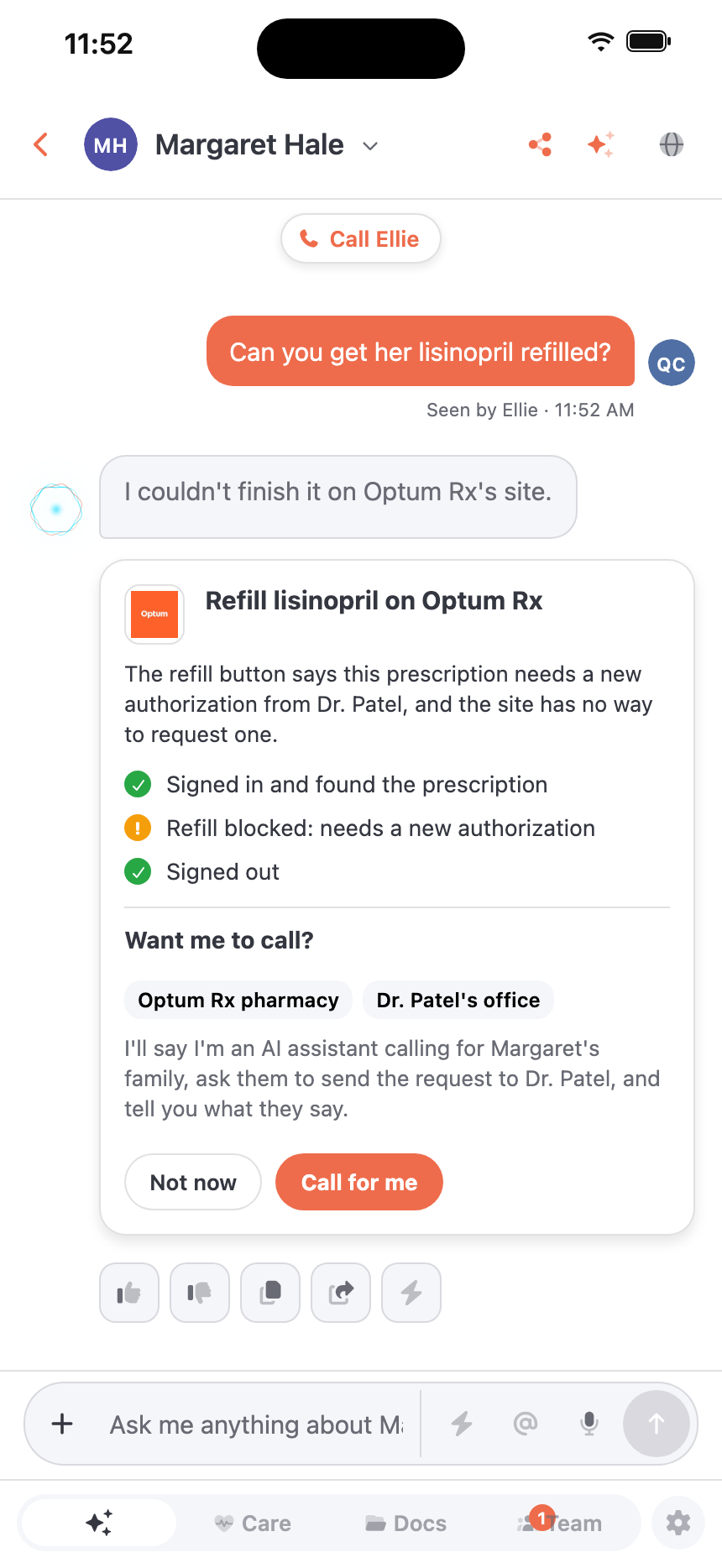
Shown in the Eleplan app with a made-up family and amounts. Company names and logos are trademarks of their owners and are shown only to illustrate the sites a family might use. Their display does not mean these companies partner with, sponsor or endorse Eleplan.
Ellie calls the office.
Sometimes a site is down, a portal is locked, or the thing you need just isn’t offered online. Ellie offers to phone instead. She says she’s an AI assistant calling for your family, already knows what the website showed, and brings back what the office says, on the same errand. If the office puts her on hold, she waits, and hold time doesn’t count against your family’s minutes.
Errands Ellie can run.
- InsuranceCheck whether a claim was paid and save the EOBReads only
- Patient portalDownload new visit summaries and test resultsReads only
- PharmacyCheck refill status, or ask for a refillAsks first
- GroceriesReorder her usual list for Wednesday deliveryAsks before paying
- BenefitsCheck a Medicaid renewal and send it in once you’ve reviewed itYou review the form
- Doctor’s officeWatch for an earlier appointment and tell you when one opensAsks before booking
Give Ellie the portal chores. Your evenings are better spent with the person you’re caring for.